
My CRM No Longer Depends on One AI. Here's What Changed
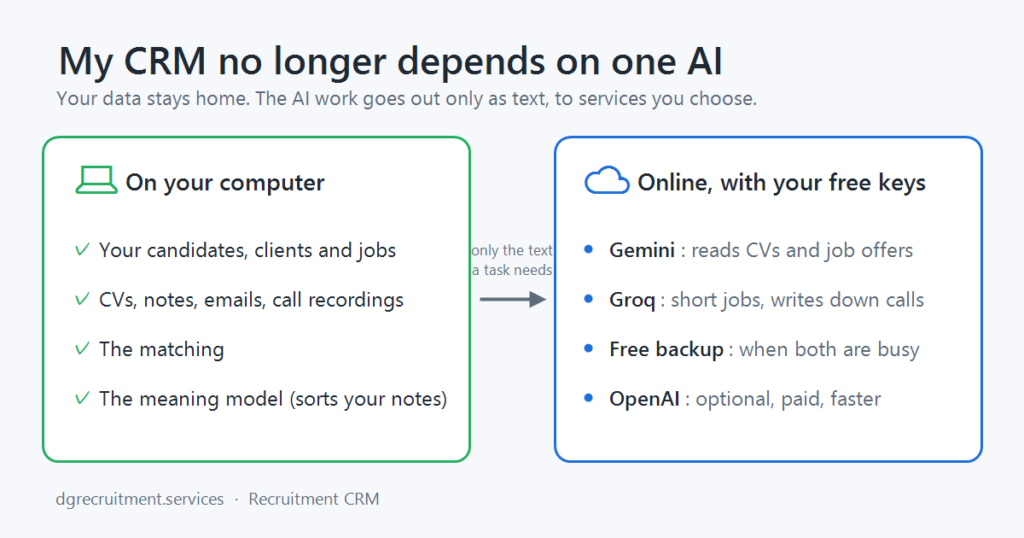
When I started building my Recruitment CRM, I wanted everything on my own computer: my candidates, my clients, and the AI that reads the CVs. No cloud, no monthly bill. In April I even wrote a post about it: “Why I Built a Local AI Recruitment CRM”.
I was wrong about one part of that, and I’d rather say so openly.
The AI models that run on an ordinary laptop were too weak to read real CVs well. A clean CV in English was fine. A two-column Romanian CV from a welder, with dates in three formats, was not. They were also heavy: on my own PC they sometimes simply ran out of memory. So, step by step, the CRM started using free online AI services for the reading, and kept the rest at home.
Then the free services started changing under me. One changed its prices. Another removed the free model I was using. And on 9 November, Ollama Cloud, which my CRM used for most of its AI work, became pay-as-you-go. That was the third time in a few months.
So this time I didn’t just swap one service for another. I rebuilt how the CRM uses AI, so that no single provider can stop it again.
What stays on your computer
The most important part didn’t change:
- Your database. Candidates, clients, jobs, CVs, notes, emails and call recordings stay on your own computer. There is no CRM cloud, and I don’t see any of it.
- The matching. Matching candidates to jobs runs on your computer and keeps working without the internet.
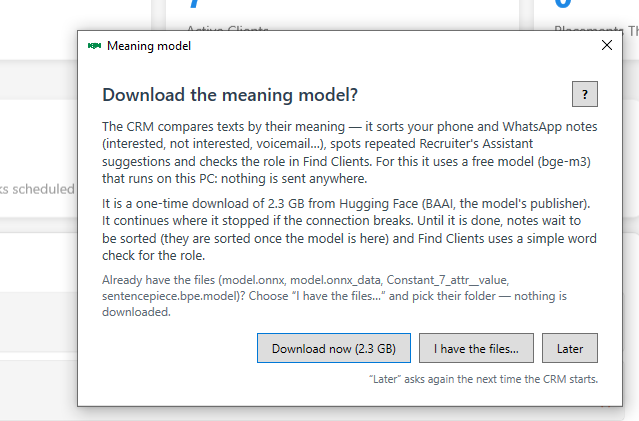
- The meaning model. A small model that understands what your notes mean now runs inside the CRM itself. It sorts your phone and WhatsApp notes, so they never leave your PC. You don’t install anything: the first time you start the CRM, it offers to download it (2.3 GB, once).
Ollama itself is gone. If you followed my old setup guide, just update the CRM: the latest update contains everything it needs.
What goes online, and to whom
Reading documents and writing text is done by online AI services, through your own free accounts:
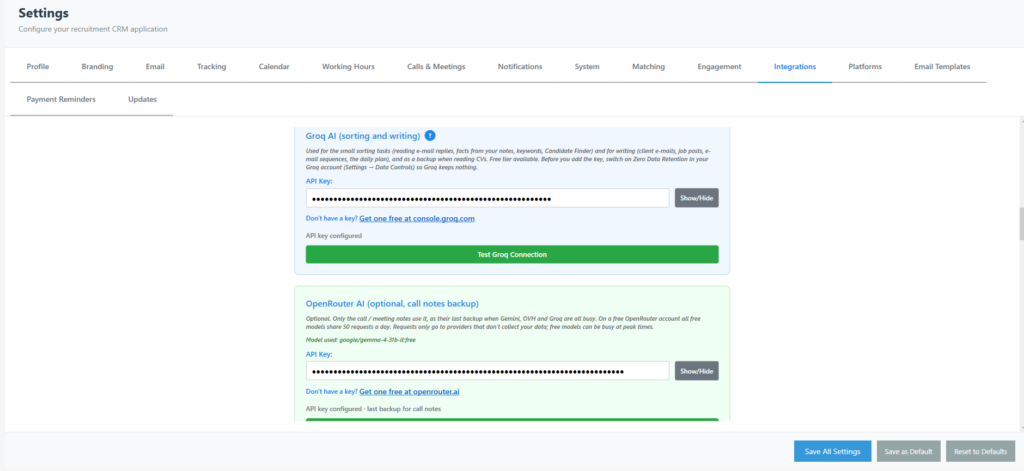
- Gemini (Google) is now the main AI. It reads CVs, job offers and contracts, writes the call notes and the market reports. In Europe, Google applies its paid-service terms to the free Gemini API, so your data is not used for training.
- Groq does the short, fast jobs: reading replies to your emails, keywords, client emails and job posts. It also writes down your recorded calls, if you switch the note-taker on.
- A free backup that needs no account steps in when both are busy.
- OpenAI is optional and paid. If you add a key, CVs are read in about a minute even when Gemini is busy. A CV costs about half a US cent.
Only the text a task needs is sent, for that task. The full list of what goes where is in the Privacy Policy on the Recruitment CRM page.
What happens when a service is busy

This is the part I’m happiest with. Every free service has a daily allowance, and sometimes it is simply overloaded. Before, that meant an error message and a CV that wasn’t read.
Now the CRM keeps count of each service’s allowance and moves from one to the next by itself. If every service is busy, nothing is lost: the CV waits in the inbox and is read automatically later. A small bar at the bottom of the screen shows what the AI is doing, which service is working on it, and when it will try again if it has to wait.
And when the next free service changes its terms, and one will, I can add another without rebuilding the CRM.
Matching you can check
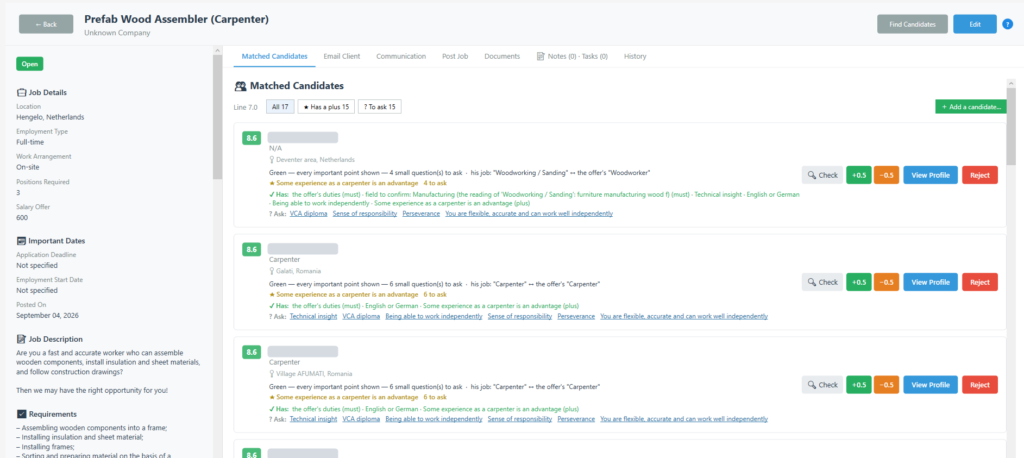
While I was at it, I rebuilt the matching too, because I didn’t trust it enough to rely on it for placements.
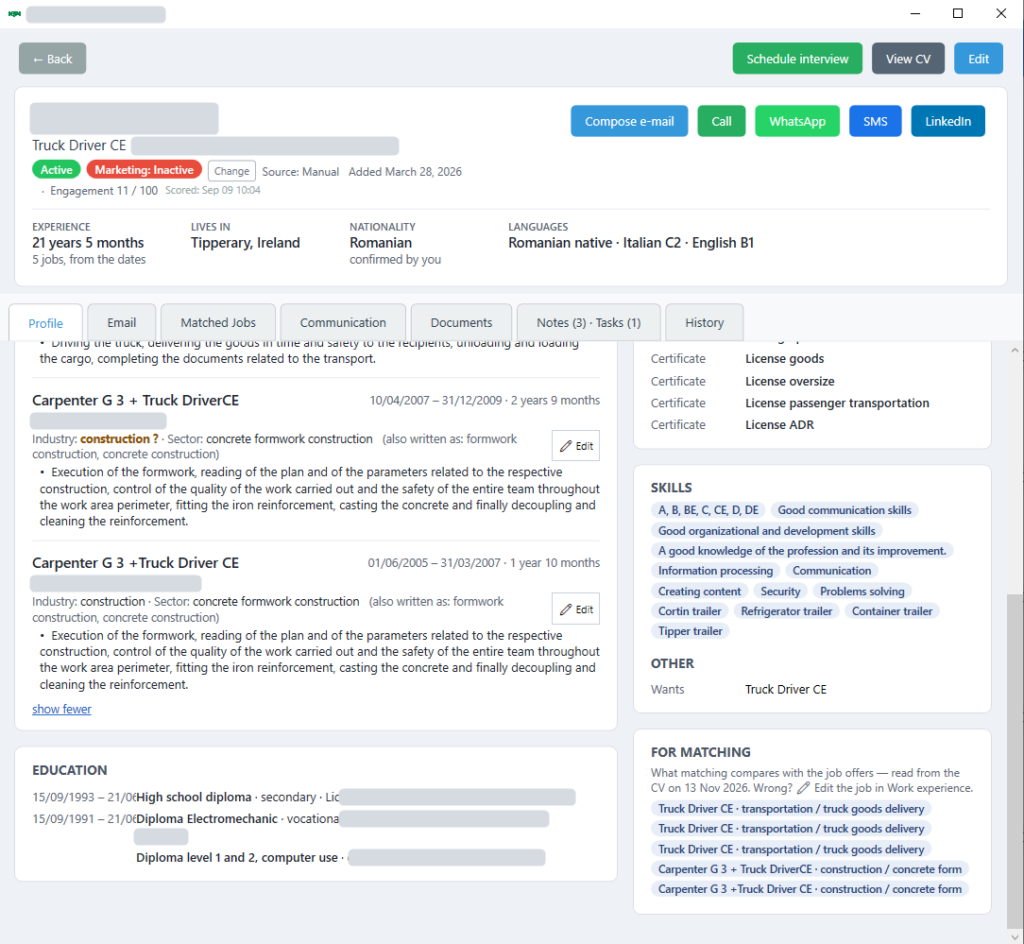
The CV is read once. After that, the matching itself uses no AI at all: the program compares what the CV says with the job’s own requirements, which you check for every job. The same CV and the same job always give the same result.
- Every candidate gets a score out of 10 and a colour, with the reason written under the name. Green: everything important is shown in the CV. Yellow: might fit, but something important is unclear. Red: clearly not a fit, with the reason why.
- Nothing is guessed. What the CV doesn’t say becomes a “?”, a question to ask the candidate, not a “no”. Good welders write messy CVs, and I don’t want to lose them because of it.
- Candidates above your matching line go straight into the first stage of the job’s pipeline, and you get one notification per job.
What you need now
A Windows 10 or 11 computer with 8 GB of memory (16 GB recommended) and 100 GB of free space.
- A free Gemini key and a free Groq key. The CRM’s User Manual shows step by step where to get them.
- Nothing else to install for the AI.
If you already use the CRM, it offers you the update by itself (or check in Settings → Updates). Then add your Gemini key in Settings → Integrations, and let the CRM download its meaning model when it asks.
Try it!
The Recruitment CRM is free to try for 30 days. If you’re a solo or small-agency recruiter and want to see it working, click below, or book a short demo and I’ll show you how I use it every day.
