
Why I Built a Local AI Recruitment CRM (and What Makes It Different)
The recruitment industry has no shortage of tools.
CRMs, ATS platforms, sourcing tools, automation systems—each promising to make recruiters faster and more efficient.
Yet for many recruiters, especially independent ones, the reality is different:
- Too many subscriptions
- Too much manual work
- Too little control over data
This is exactly the problem that led to the creation of the Recruitment CRM developed by me.
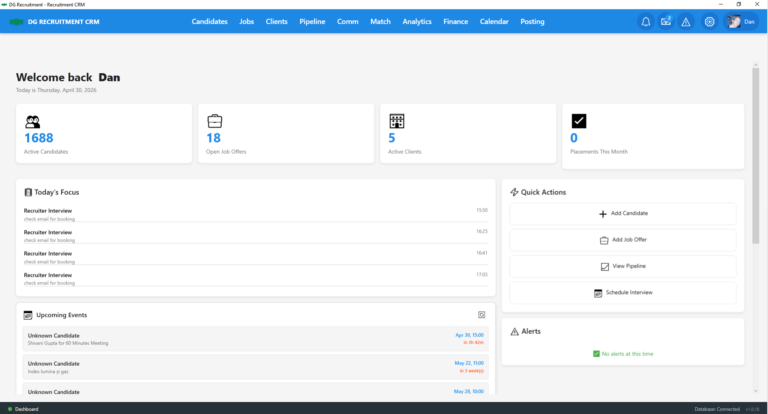
A CRM Built from Real Frustration
The system didn’t start as a product—it started as a necessity.
After working with multiple recruitment tools, the conclusion was simple:
Most systems either overcomplicate workflows or lock recruiters into ecosystems where they don’t control their own data.
Instead of adapting to existing tools, the decision was made to build one from scratch—focused on:
- Simplicity
- Control
- Real workflow efficiency
What Makes This CRM Different
1. It Runs on Your Machine (Not the Cloud)
One of the most important differences:
This CRM is local-first.
- All candidate and client data is stored on your own computer
- No automatic uploads
- No external database dependency
- No third-party access
This directly addresses one of the biggest concerns in recruitment today:
data ownership and confidentiality
2. AI That Works Locally
Instead of relying on external APIs for core functionality, the system uses:
- Local AI models (via Ollama)
- Separate models for:
- CV parsing and analysis
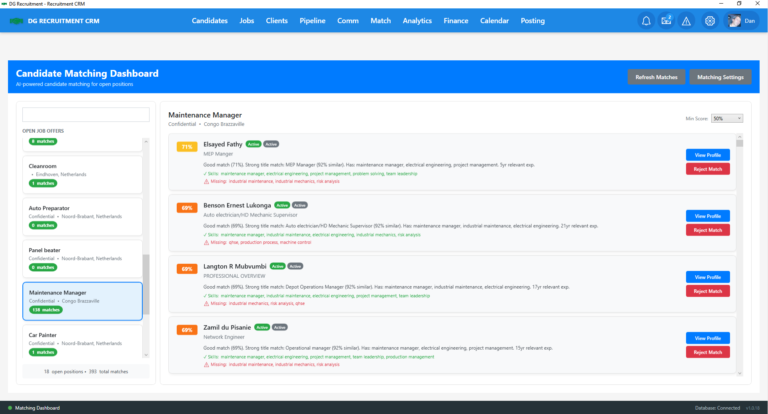
- Candidate-job matching
This allows:
- Faster processing
- No per-request costs
- Full control over how data is handled
3. Real Workflow Automation (Not Just Features)
The CRM focuses on actual recruiter workflow, not just feature lists.
Example workflow from the system:
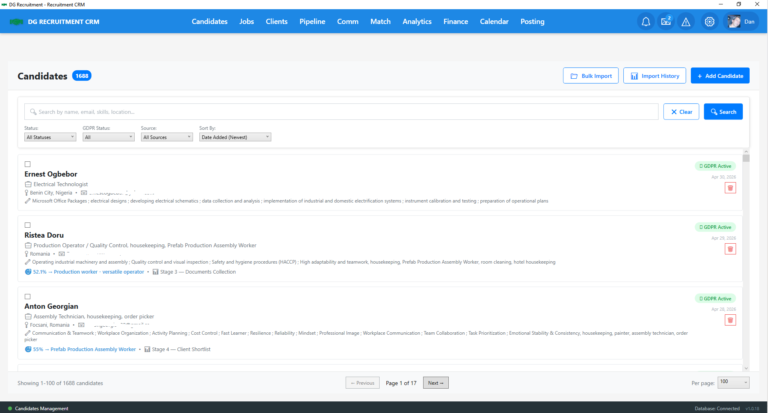
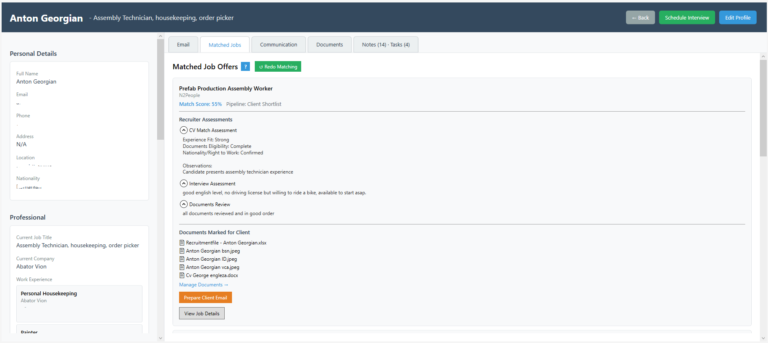
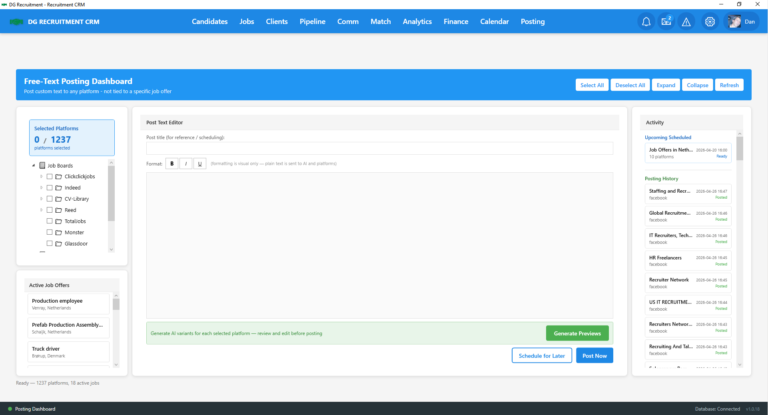
- Candidate imported with one click
- Automatically parsed
- AI matches candidate to job (with scoring)
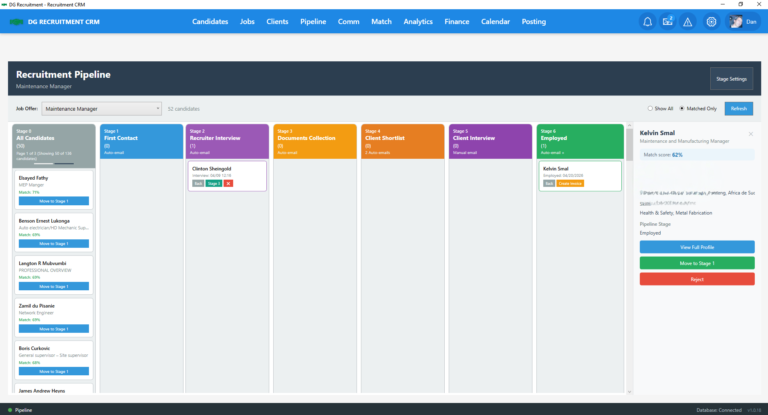
- Candidate moves through pipeline stages
- At a later stage, the system generates a ready-to-send client presentation
The result:
- Less manual admin
- Faster placements
- More focus on closing roles
4. Clear Division Between Human and Software
The system is not designed to replace recruiters.
Instead, it separates responsibilities:
Recruiter handles:
- Decision-making
- Relationship building
- Closing
Software handles:
- Data processing
- Matching
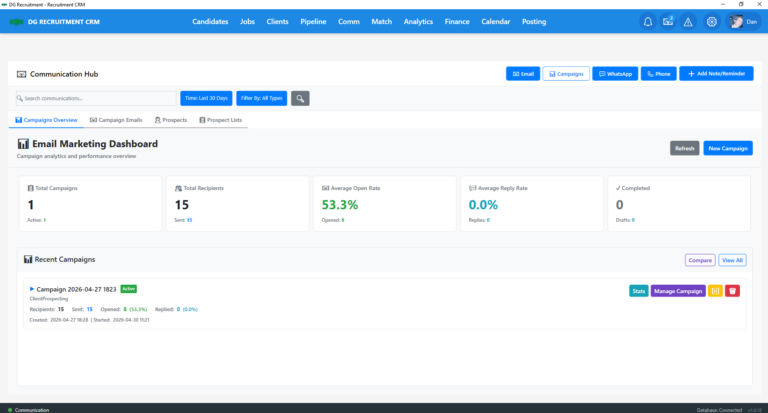
- Follow-ups
- Repetitive admin work
This creates a more efficient and realistic use of AI in recruitment.
Built with Privacy at the Core
The CRM includes a strong privacy-first approach:
- No telemetry
- No hidden tracking
- No “phone home” behavior
- External APIs used only when triggered
Additionally:
- Daily automated backups
- Up to 30 database versions stored locally
This ensures both security and recoverability.
System Requirements (What You Actually Need)
Because the system runs locally, it requires:
- Windows 10 or 11 (64-bit)
- Minimum 8 GB RAM (16 GB recommended)
- At least 60 GB free storage
- Local AI setup using Ollama
This is not a browser-based tool—it’s a working system installed on your machine.
Licensing Model
The CRM uses a straightforward structure:
- License is tied to a specific machine
- One license per computer
- No shared access across devices
This aligns with its local-first architecture.
Who Is This For?
This CRM is particularly suited for:
- Independent recruiters
- Recruiters who value data control
- Professionals tired of fragmented tools
It may not be for everyone—but it is highly relevant for those who want ownership and efficiency.
Final Thoughts
This Recruitment CRM is not trying to be another SaaS platform.
It takes a different approach:
- Local instead of cloud
- Control instead of dependency
- Workflow over features
In a space where most tools move toward centralization, this system moves in the opposite direction—putting recruiters back in control of their data and process.
Start Your Free Trial
Get your license key instantly by email.
Check your inbox!
Your license key and download link are on their way.
Didn't receive the email? Check your spam folder, or contact support.
System Requirements & Pre-requisites
1. Hardware & Operating System
- OS: Windows 10 or Windows 11 (64-bit)
- CPU: AMD Ryzen 3 2200U / Intel Core i5 or higher
- RAM: 8 GB minimum (16 GB recommended)
- Disk space: At least 60 GB free
- Installation path: Internal or high-speed external drive. For best stability, a separate physical drive other than C: is recommended.
2. Mandatory Local AI Engine: Ollama
This CRM runs AI models locally — your data never leaves your computer. Before installing the CRM you must set up Ollama:
- Download the Windows installer from ollama.com
- Run the installer
- Open Command Prompt or PowerShell and run:ollama run llama3.2:3bollama pull bge-m3:latest
3. Browser & Internet
- Browser: Google Chrome, Microsoft Edge, or Firefox (required for the browser extension / LinkedIn extraction)
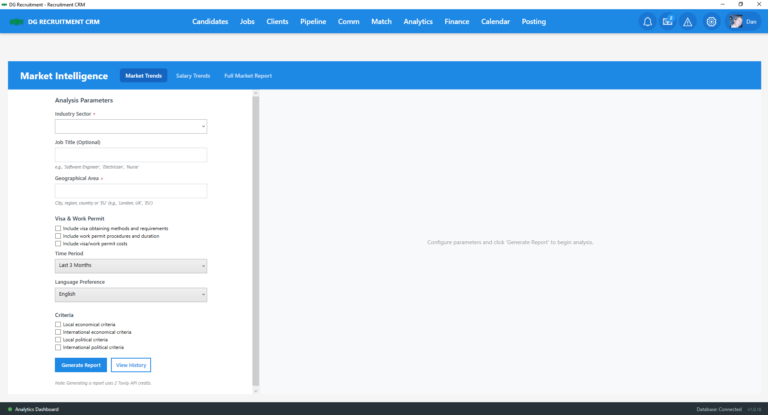
- Internet: Required for market intelligence, email tracking, and external API parsing
- API keys: Certain parsing levels require your own API keys (instructions provided in the Installation Guide)
4. Data Privacy & Backup
- All data is stored exclusively on your hardware — the developer has zero access
- Built-in automated daily backup, retaining the last 30 versions
- You are the sole Data Controller and are responsible for the health of your drive
5. Licensing
- Each license key is tied to one specific machine (Machine ID lock)
- One license = one computer. Separate licenses are required for additional workstations
